


SparkNow
4.6353.00 Reviews
App Specs
- Version
- 1.1.8
- Updated On
- License
- Free
- Downloads
- 100,000+
- Developer
- Jobz Group
- Categories
- Social
- Platform
- Android
Screenshots
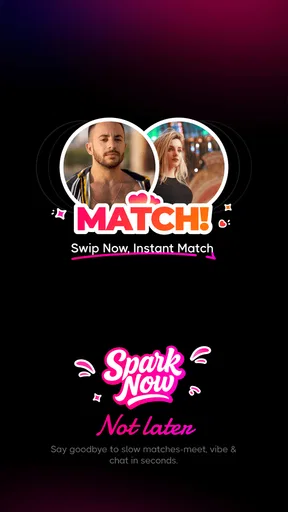
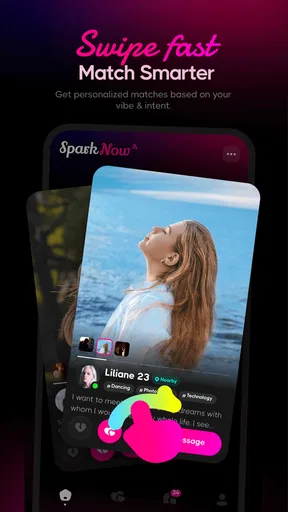
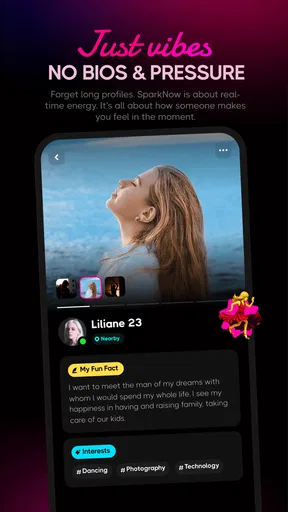
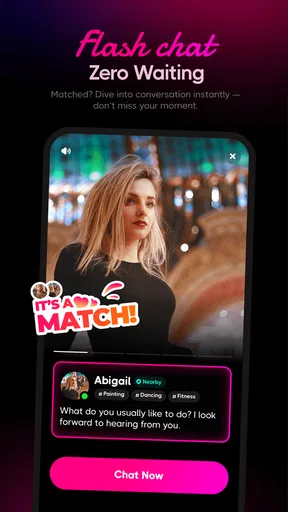
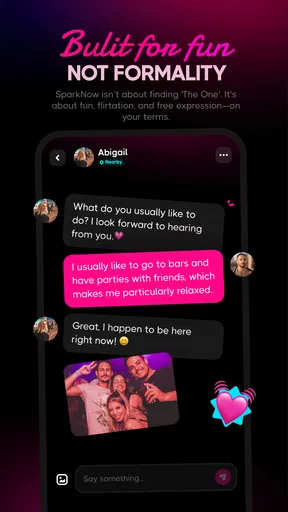
 Analysis by AppCompare
I approached SparkNow as a social app for people who want to meet, chat, and see whether a conversation can become something more. Its focus is easy to understand, but deciding whether it suits you depends less on the short promise of matching and more on how comfortably you can browse profiles, start conversations, manage attention, and use a dating-style service in your own circumstances.
My overall impression is that SparkNow is most appealing when you want a dedicated place for social discovery rather than trying to turn a general social network into a dating space. It is free to install, developed by Jobz Group, and available for devices running Android 5.0 or later. The app is marked for mature users aged 17 and above, which is an important reminder that its conversations and social expectations are not aimed at children.
How SparkNow feels to use in everyday situations
I find SparkNow easiest to judge in small, ordinary moments: a few minutes of browsing after dinner, or a quiet check of messages when I have time to answer thoughtfully. That kind of use makes it clearer whether the app fits my routine rather than becoming another stream of alerts. I’d also decide in advance what personal details I’m comfortable sharing, so curiosity doesn’t outrun my boundaries.
Readable browsing and a navigation style that rewards patience
The first thing I look for in a social app is whether I can understand what is happening without constantly stopping to decode the screen. SparkNow keeps its purpose centered on profiles, matching, and chat, so the basic journey is easier to grasp than in a broad social network filled with unrelated feeds, groups, videos, and notifications. That focus can be helpful if you prefer a clear task: look around, decide whether someone interests you, and move toward a conversation.
Still, a focused dating interface can create its own pressure. Profile browsing encourages quick decisions, while meaningful compatibility usually needs more time. I found it useful to slow down rather than treat every profile as a yes-or-no test. Reading the available details carefully, checking whether a person’s tone matches what I am looking for, and waiting before opening several chats at once makes the experience feel less hurried.
For people with attention difficulties, this slower approach is more than a personal preference. Social discovery can become tiring when every new profile feels like a decision and every message appears to demand an immediate response. I would use short sessions, close the app after a defined amount of browsing, and return later with a clearer idea of what I want. SparkNow works better as a tool I visit deliberately than as something I leave open all day.
Text size and contrast are especially important in a profile-and-chat app, because the useful information is often written rather than spoken. I would check the app alongside the phone’s own display settings and accessibility tools, then judge whether profile text, labels, and conversation controls remain comfortable at the size I need. If enlarging system text causes important controls to become cramped or difficult to reach, that would be a practical reason to prefer a different service with more flexible presentation.
Worth Reading Before You Choose

EA SPORTS FC Mobile 26 Is a Bigger Football Game, but It Takes Time

Flipboard Shows What News Apps Must Do Beyond the Feed

Switching to Android Auto Means Rethinking Your Driving Routine

Google Calendar Makes a Crowded Week Easier to Manage

Ludo King Makes the Most of the Minutes Between Plans

Baby Panda World Brings Quick Play to Modern Phones, but Its Game Library Feels Busy
The app’s current version is 1.1.8, so I would keep it updated through the normal app-store process. That is not a guarantee that every device or individual setup will feel identical, but it is sensible for a service where account access and messaging matter. Before investing time in building conversations, I would also make sure I can recognize the key controls for editing a profile, moving through matches, opening chats, and changing notification behavior.
Motor and sensory considerations during matching and chat
Matching apps can be deceptively demanding for people with limited fine-motor control. Repeated swipes, small buttons, quick taps, and accidental gestures may turn a simple browsing session into a frustrating one. My practical advice is to use the device features you already rely on, such as touch accommodations, switch access, voice control, or an external keyboard where the operating system supports them. I would test these with low-stakes browsing before sending messages or making a decision that cannot easily be undone.
A slower interaction style also helps prevent mistakes. Instead of rapidly moving through profiles, I would pause after each gesture and confirm that the intended profile or conversation is open. This matters when a finger lands slightly off target or when a screen reader, magnification setting, or voice command changes how controls are presented. The app may be usable with a person’s preferred setup, but the real answer depends on how its controls behave on that particular phone.
Chat presents a different sensory challenge. Notifications can be useful when someone replies, but they can also interrupt work, rest, or a crowded environment. I would treat notification management as part of the first setup rather than an afterthought: keep alerts limited to times when I can respond, and use the phone’s sound, vibration, and visual settings to avoid relying on one signal alone. If I am in a noisy place, I would not assume that an audible alert is enough; if I am sensitive to vibration or flashing indicators, I would reduce those signals.
For users who communicate more comfortably through writing, a chat-centered experience can be less demanding than voice or video introductions. That is one of SparkNow’s more natural strengths as a social tool: I can take time to compose a message and reread it before sending. The trade-off is that text-based conversation can make tone ambiguous. I would use clear wording, avoid rushing into personal subjects, and remember that a polished message does not automatically tell me how trustworthy or compatible someone is.
People with dyslexia, language-processing differences, or limited confidence in written English may want to draft messages elsewhere first, using the keyboard tools they already know. A short, specific opening is easier to review than a long paragraph. For example, I might refer to one detail in a profile and ask an uncomplicated question. This reduces the cognitive load of inventing a perfect introduction and makes it easier to notice whether the other person responds thoughtfully.
Using the app across different places and routines
SparkNow makes the most sense in a controlled routine. Imagine finishing work, sitting somewhere quiet, and spending a few minutes reviewing profiles before replying to one person. That scenario gives me enough privacy to think, limits distraction, and avoids the awkwardness of trying to write a personal message while commuting. I would not use a dating-oriented app carelessly on a shared screen, in a workplace where notifications could expose private activity, or in a place where other people can easily read incoming messages.
Situational access also includes energy and emotional bandwidth. Someone may be able to navigate the app perfectly well but still find matching exhausting after a long day, during a period of anxiety, or after receiving several unwanted messages. I would treat the ability to pause as essential. There is no advantage in continuing a conversation simply because the app makes it visible. A healthy routine might involve checking messages at a chosen time, replying only when comfortable, and stepping away when the process begins to feel like an obligation.
Travel and unreliable connectivity can change the experience too. I would avoid starting an important conversation when I expect interruptions, because a delayed reply can be misunderstood. Likewise, I would not make plans with a new contact solely from a brief exchange inside the app. A first meeting should happen in a public setting, with someone I trust aware of the plan. These are sensible habits for any online social service, but they matter particularly when the app is designed to turn digital contact into personal connection.
SparkNow is free to download, which lowers the barrier to trying it. The app also includes in-app purchases priced from $1.99 to $39.99 per item. I would not spend money simply because browsing feels slow or because I have not received the response I hoped for. Paid options can be tempting when a service frames attention as something to unlock, so I would first use the free experience long enough to decide whether the basic workflow feels comfortable and worthwhile.
The service has reached over 100K installs and holds a 4.7 average from around 3.5K ratings, with roughly 350 written reviews. Those figures suggest that many people have found enough value to respond positively, but they do not predict whether the interface will suit a user with a particular motor, sensory, cognitive, or communication need. I would treat the app’s popularity as a reason to investigate it, not as proof that it will work equally well for everyone.
Where the usual alternatives may be better
Compared with a general social network, SparkNow has a clearer purpose. I do not need to sift through unrelated posts to find people who are open to meeting or chatting. That focus is useful for someone who wants fewer distractions and a more direct route to social discovery. The downside is that a specialized matching environment can feel more intense: profiles, replies, and romantic expectations are closer to the center of every session.
Compared with a messaging app used among existing friends, SparkNow offers discovery rather than an established circle. That makes it more suitable when I want to meet new people, but less suitable when I mainly need reliable communication with contacts I already know. A standard messaging service may also fit better for family groups, accessibility workflows built around familiar contacts, or conversations where identity is already established.
Compared with a larger dating platform, SparkNow may appeal to someone who prefers a smaller-feeling experience and a straightforward social purpose. A larger alternative could be the better choice if I need a broader range of profile filters, more mature controls for organizing conversations, or a community that is clearly established in my area. I would not choose SparkNow solely because its interface looks simpler; I would choose it if the people I want to meet are actually present and the basic communication flow feels manageable.
Remaining barriers I would consider before joining
The biggest barrier is not the installation process. It is the uncertainty built into meeting strangers. Users who need highly detailed identity information, strong control over who can contact them, or a very specific community may find a general-purpose matching app insufficient. I would spend time reviewing the available account and conversation controls before sharing personal details, and I would stop using any interaction that becomes pressuring, disrespectful, or intrusive.
There is also a difference between technical accessibility and social accessibility. An app can be easy to open yet difficult to use if messages arrive too quickly, profile expectations are unclear, or the culture rewards constant availability. Someone with chronic fatigue, sensory sensitivity, social anxiety, or an unpredictable schedule may need more flexibility than a matching routine naturally encourages. SparkNow can fit those users when they set firm boundaries, but it should not be treated as a solution to loneliness that requires endless participation.
The mature rating is another practical boundary. At 17 and above, the app is not intended for children, and families should not treat it as a youth social platform. Adults who share devices or live in a supervised environment should consider privacy before installing it. I would use a personal account, review what appears publicly on my profile, and avoid including workplace details, home information, or predictable daily routines.
Some users will also want a stronger sense of control over communication than a simple match-and-chat model provides. If I need a service built around professional networking, hobby communities, long-term friendship groups, or structured support, SparkNow is probably the wrong tool. Its value comes from direct social discovery, not from replacing every other kind of online community.
My inclusive verdict on SparkNow
I would recommend SparkNow to an adult who wants a focused way to discover people, is comfortable with profile-based matching, and can manage the pace of chat on their own terms. Its free entry point makes experimentation reasonable, while the focused design is less cluttered than using a broad social network for the same purpose. I especially like the possibility of composing messages at my own speed instead of being pushed immediately into a live conversation.
I would recommend a cautious trial rather than an automatic commitment. Start with a short session, check whether the text and controls work with your usual device settings, adjust notifications, and see how much effort it takes to complete ordinary actions. Try the app at the time and place where you are most comfortable. That small test reveals more about practical accessibility than a rating or install count can.
I would skip it if I need a highly specialized community, a friend-only environment, or a service whose main purpose is not meeting new people. I would also avoid paying for extras until the free version proves that the app’s pace, audience, and communication style suit me. SparkNow is at its best when I remain in control of the interaction rather than allowing matching mechanics to dictate my attention.
Jobz Group has created a social app with a clear idea and a low-cost starting point, but inclusive use depends on the person, the phone, and the situation. For me, the most important question is not whether SparkNow can help start a conversation; it is whether I can browse, respond, pause, and protect my boundaries comfortably. If the answer is yes, it is worth trying. If those basics feel difficult, a more established or more specialized alternative will be the kinder choice.
Pros
- Simple interface makes discovering nearby activities quick.
- Useful filters help narrow options by interest
- date
- or location.
- Event details are presented clearly before you decide to join.
- Can help users meet people with similar interests locally.
- Convenient way to find plans without checking multiple platforms.
Cons
- Availability may vary considerably depending on your city.
- Some events may require payment or separate registration.
- Notifications can become distracting if not adjusted.
- User activity and event quality may be inconsistent.
- Location access may be needed for the best recommendations.
FAQs for SparkNow
What is SparkNow and what can I use it for?
SparkNow is designed to help users discover, organize, and interact with content or services through a simple mobile experience. Depending on the version and region, its available tools may include personalized recommendations, user profiles, messaging, notifications, and activity management. Before downloading, review the current store description because features can vary between Android and iOS and may change after updates.
Is SparkNow free to download and use?
SparkNow may be available as a free download, but some features or content can require in-app purchases, subscriptions, or other paid options. The basic installation does not necessarily guarantee access to every tool. Check the pricing section in Google Play or the App Store before creating an account, and pay attention to renewal terms if SparkNow offers a recurring subscription.
Does SparkNow require an account or personal information?
SparkNow may require registration to provide personalized features, save preferences, synchronize activity, or enable communication with other users. Depending on the sign-up method, it could request information such as an email address, phone number, name, age, or profile details. Read the privacy policy and app permissions carefully, and avoid sharing sensitive information unless it is genuinely necessary.
Is SparkNow safe and suitable for all users?
The app’s suitability depends on its content, community features, permissions, and age rating. If SparkNow includes messaging, public profiles, or user-generated content, users should be cautious when interacting with strangers and report suspicious activity. Parents should review the store rating and privacy controls before allowing children to use it, while all users should install updates from official app stores.
What should I do if SparkNow does not work correctly?
If SparkNow crashes, loads slowly, or fails to send notifications, first check your internet connection and confirm that the app is updated. Restarting the application or device can also resolve temporary problems. If the issue continues, review the app’s permission settings, clear its cache on Android, or reinstall it after confirming that important account data is synchronized. Contact official support for persistent problems.


